From a 62-minute recording to 16 minutes: the REA edit
The REA episode was recorded in two sessions totaling 61 minutes 57 seconds, cut to 15 minutes 50 seconds in CutZal, and published on October 12, 2026 at 22:45 KST, 7 hours 45 minutes after the first recording started.
The video tests REA (Reverse Engineer Anything), an open-source project that drew a lot of attention on GitHub. It is in Korean and has no uploaded English subtitles. The test and its results are in a devbrothers.ai blog post (Korean). This post only covers how the video was edited.
At a glance
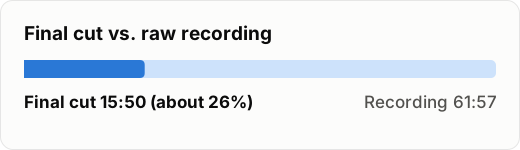
Recording and final-cut lengths were measured from the files with ffprobe. The motion count and the covered time were counted in the saved project and matched against frames of the exported final cut (checked October 27, 2026). The YouTube video is now 15:47, because one 3.5-second stretch was trimmed on YouTube after publishing.
The two recordings were edited separately, then merged
The video was recorded in two sessions, at 15:00 and 18:11. Each recording was transcribed and AI-cut as its own CutZal project, and then the two were merged into one.
An agent did the merge with CutZal's engine functions. It moved the cut decisions, human fixes, and screen layouts of both projects onto one timeline, and checked that the merged project's output ranges matched the two projects exactly. The motion and layout work continued in the merged project.
22 motion graphics, placed with commands
The motion scenes were built in Remotion and rendered to video files. They went into CutZal through the cutzal command, in this order.
- Register the rendered motion files as assets.
- Switch the camera to a small picture-in-picture (PIP) wherever a motion plays.
- Place the motion clips at their output times in the final cut with a batch track edit.
- After applying, capture the scenes to check for overlaps and gaps.
The same commands ran on a copy of the project first, and then on the original. The original only changed after the copy looked right.
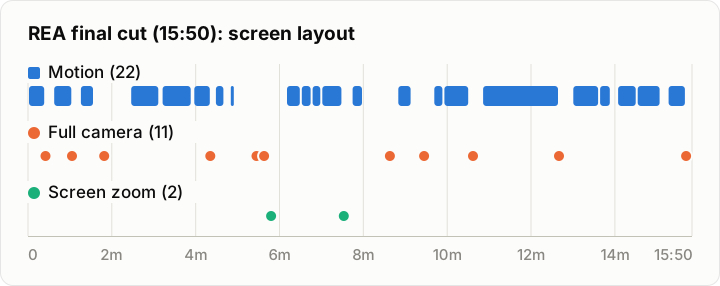
Where there is no bar, the default layout plays: the screen recording with a small camera (PIP) on top. Each dot marks where a full-camera shot or a screen zoom starts.
Where the original text was the information itself, it appeared as a source card. Where a line could be shown as a single picture, it became a picture motion.
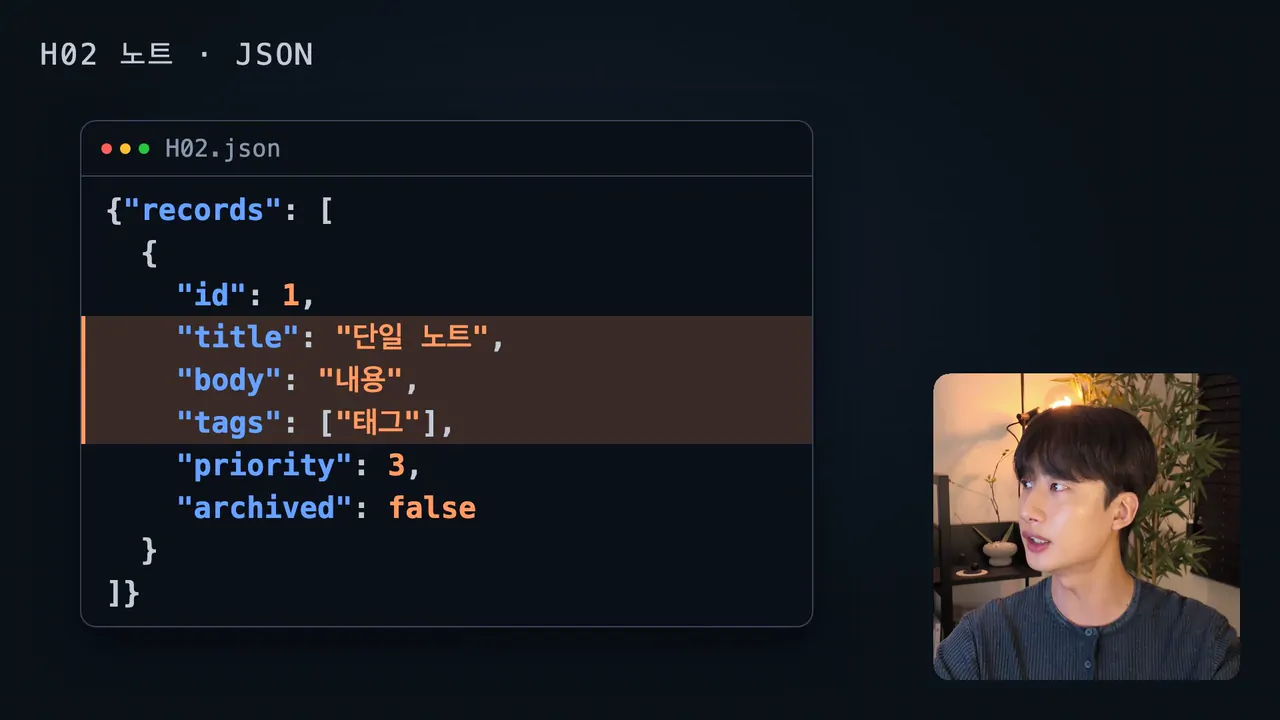
Source card: the lines being discussed in the H02 note's JSON are highlighted.
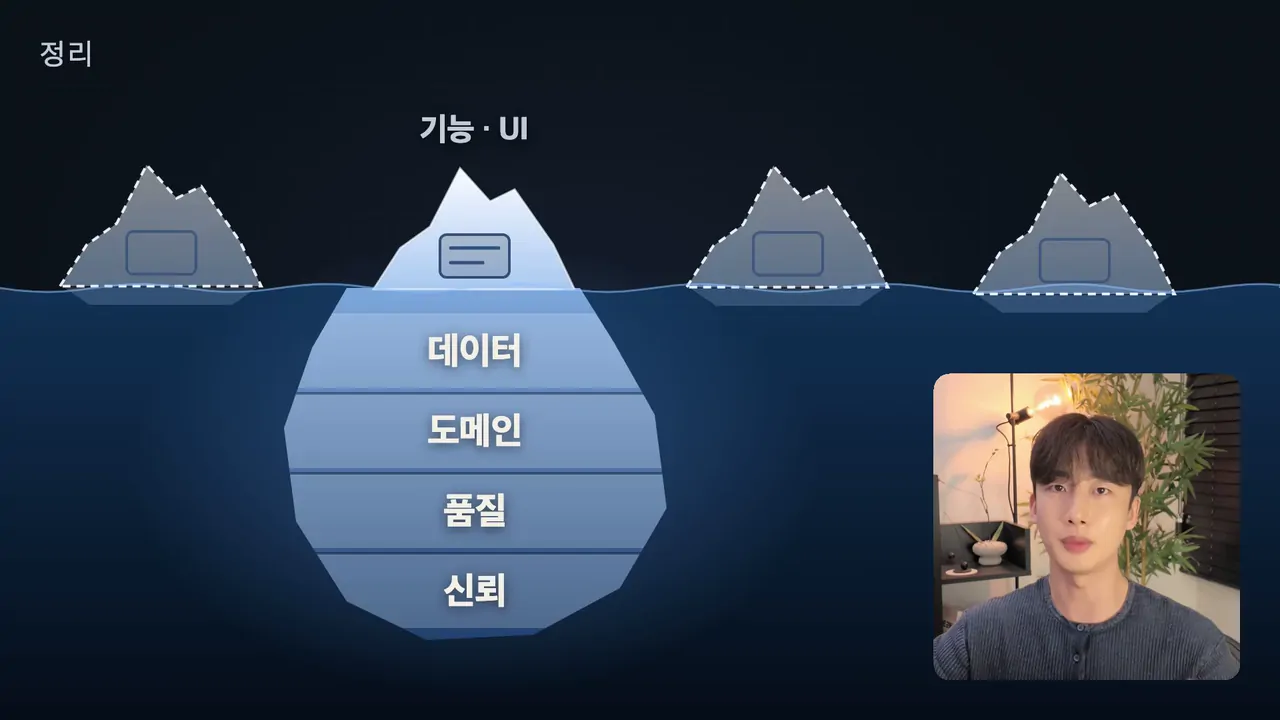
Picture motion: one iceberg carries the line "only the surface gets copied."
The same layout never runs past 12 seconds
A face that stays on screen too long, or one screen that runs on, gets boring. So every stretch where the same layout ran longer than 12 seconds was broken up with a full-camera shot, a screen zoom, or a motion graphic. That made 11 full-camera shots and 2 screen zooms.

Full camera: the face breaks up a long stretch of the same screen.
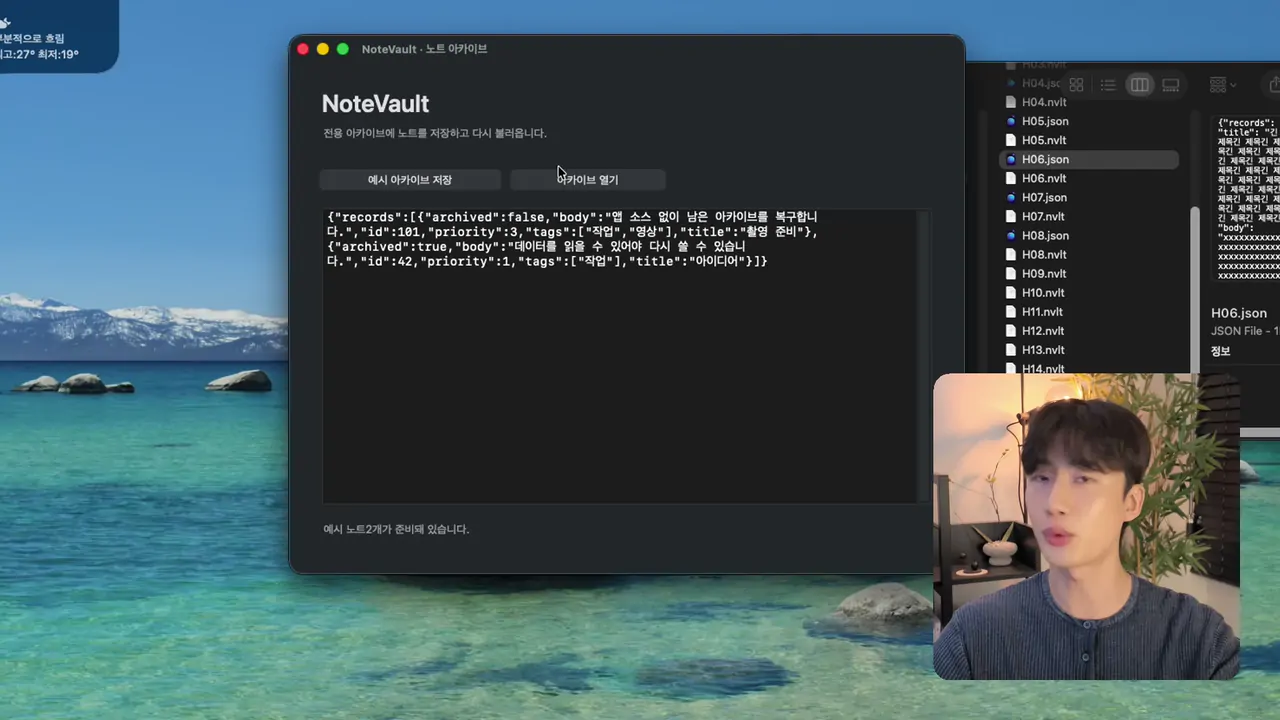
Screen zoom: the section that introduces the NoteVault app is zoomed in 1.3 times.
The rule has its own post: when to add motion graphics.
An agent pulled the chapters from the project
The 16 chapters in the description were written by an agent that read the output time and lines of each section from the saved edit project. After publishing, YouTube recognized all 16 chapters.
What became the standard for the next video
While making this video, several text cards were replaced with motions that show one line as one picture. That approach became the standard for motion work on the next videos.
The next long-form video will be edited in CutZal and logged here too. Sign up below to hear about the launch first.